Blogs

Practical notes on enterprise integration, Azure Integration Services, and modernization.

Choosing the Right SaaS Product: Why Integration Matters More Than Ever
Latest Post

Choosing the Right SaaS Product: Why Integration Matters More Than Ever

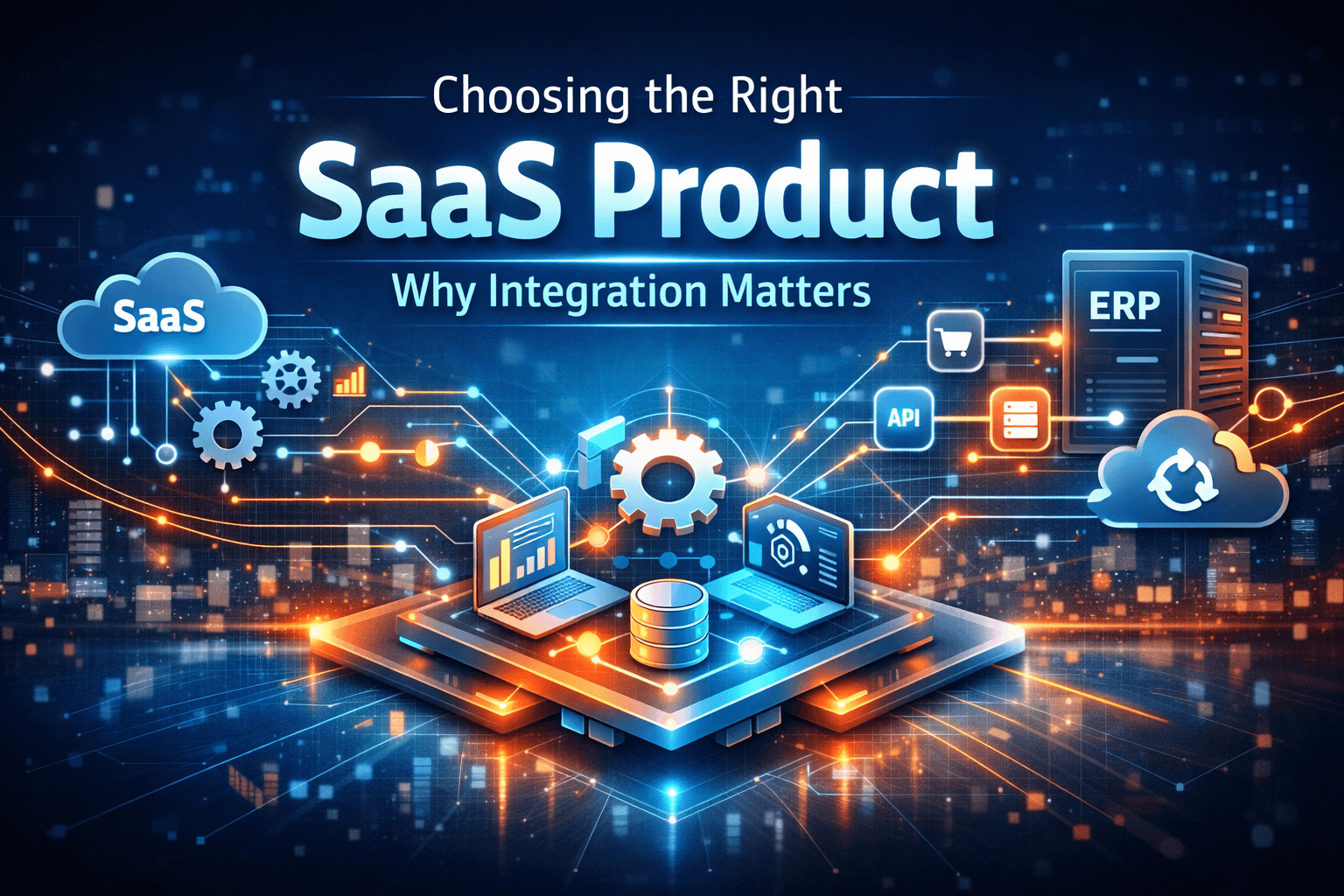
SaaS has transformed how startups and enterprises adopt software with its pay-as-you-go model and scalability. However, as systems become distributed, integration becomes critical. Choosing the right SaaS product is not just about features—it’s about how well it fits into your ecosystem and communicates with other systems. Strong API and event-driven capabilities are essential to ensure seamless data flow and long-term scalability.

Integration Picks

Posts filtered from the Integration category.

Choosing the Right SaaS Product: Why Integration Matters More Than Ever

Choosing the Right SaaS Product: Why Integration Matters More Than Ever

SaaS has transformed how startups and enterprises adopt software with its pay-as-you-go model and scalability. However, as systems become distributed, integration becomes critical. Choosing the right SaaS product is not just about features—it’s about how well it fits into your ecosystem and communicates with other systems. Strong API and event-driven capabilities are essential to ensure seamless data flow and long-term scalability.

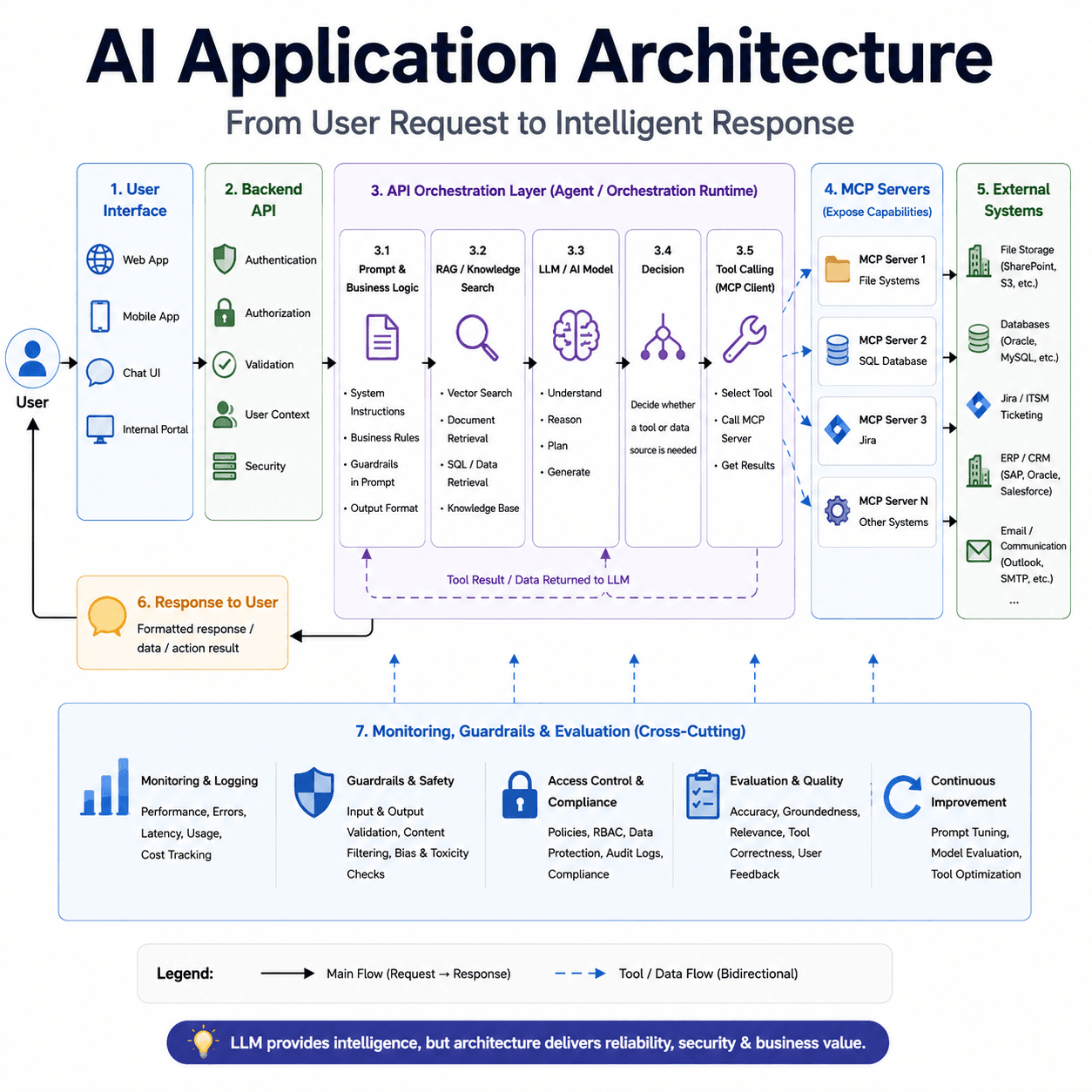
Azure AI Foundry – Connecting AI Agents with Real Business Workflows

Azure AI Foundry – Connecting AI Agents with Real Business Workflows

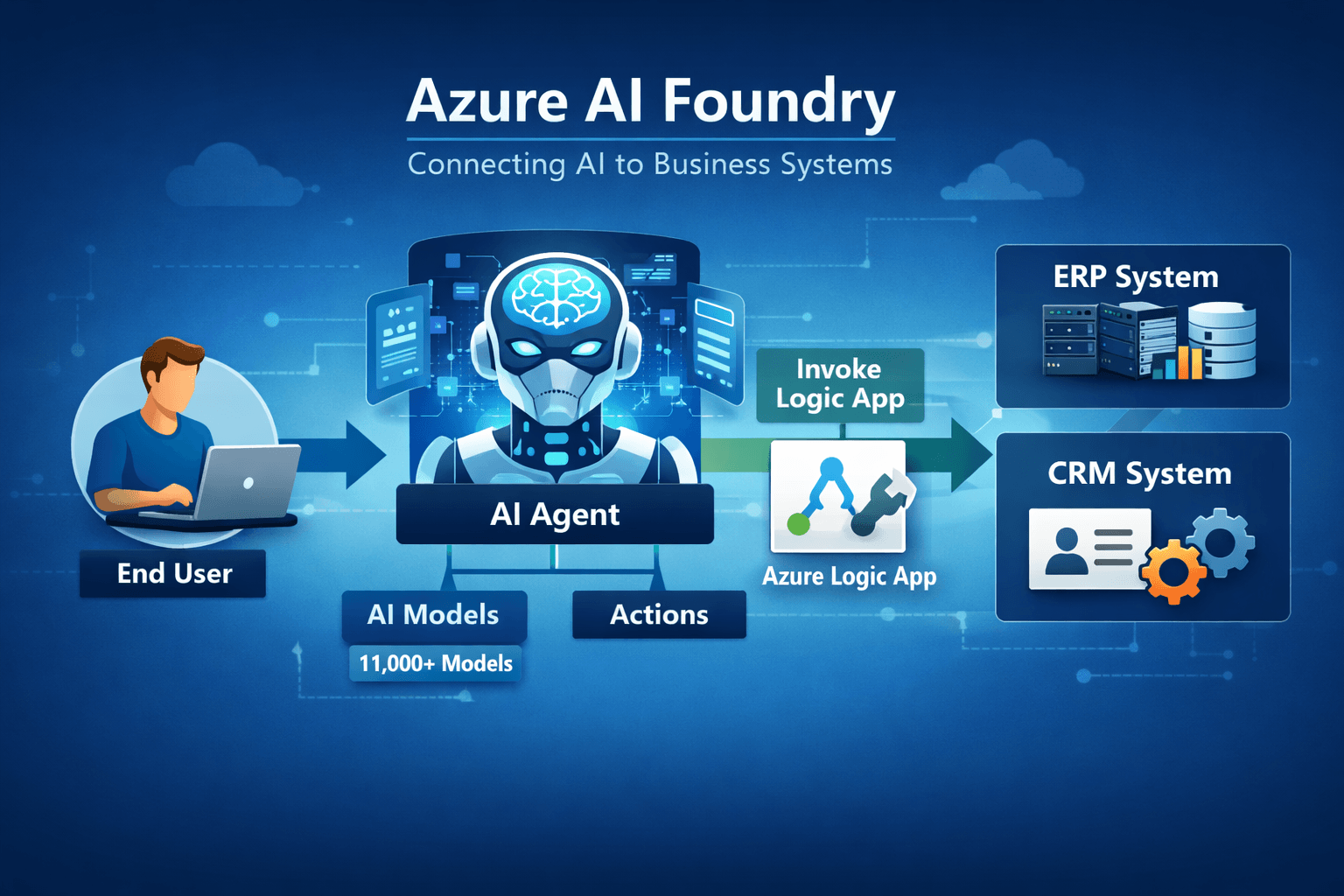
Azure AI Foundry brings together Azure OpenAI, AI Services, and Content Understanding into a single platform, offering access to 11,000+ models. It allows you to create AI projects with multiple agents, each tailored for specific use cases. A key capability is agent actions, where agents can trigger workflows such as Azure Logic Apps to interact with backend systems like ERP and CRM. This enables reuse of existing integrations while letting AI act as a decision layer. Although still evolving, it shows strong potential for connecting AI with real business processes.

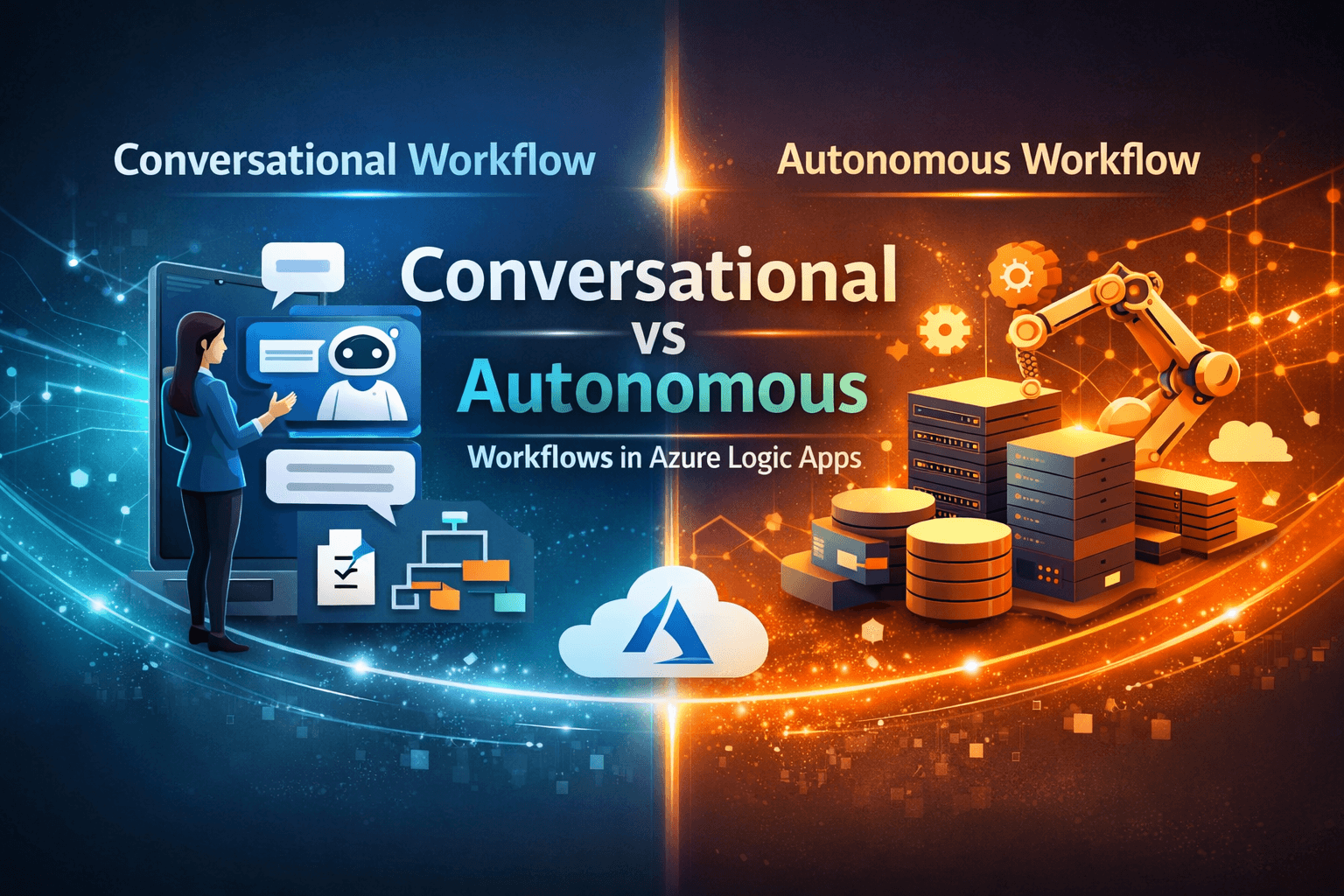
Conversational vs Autonomous Workflows in Azure Logic Apps

Conversational vs Autonomous Workflows in Azure Logic Apps

Azure Logic Apps is evolving with agentic capabilities, introducing conversational and autonomous workflows. Conversational workflows rely on human input to guide execution, while autonomous workflows operate based on triggers and AI-assisted decisions within defined boundaries. By combining model inputs with external data, these workflows become more context-aware. While promising, current implementations show some inconsistencies, as the feature is still in preview. It represents an important step toward more adaptive, AI-driven integrations.

Chat with Your Workflow in Azure Logic Apps Standard

Chat with Your Workflow in Azure Logic Apps Standard

Azure Logic Apps Standard includes an AI-assisted capability that allows developers to interact with their workflows and ask questions directly within the development environment. Developers can request explanations of workflow steps, discover available connectors for specific integration scenarios, and receive guidance on recommended integration patterns. This feature helps simplify complex workflows, improves understanding of existing integrations, and enables developers to design and troubleshoot integration solutions more efficiently.

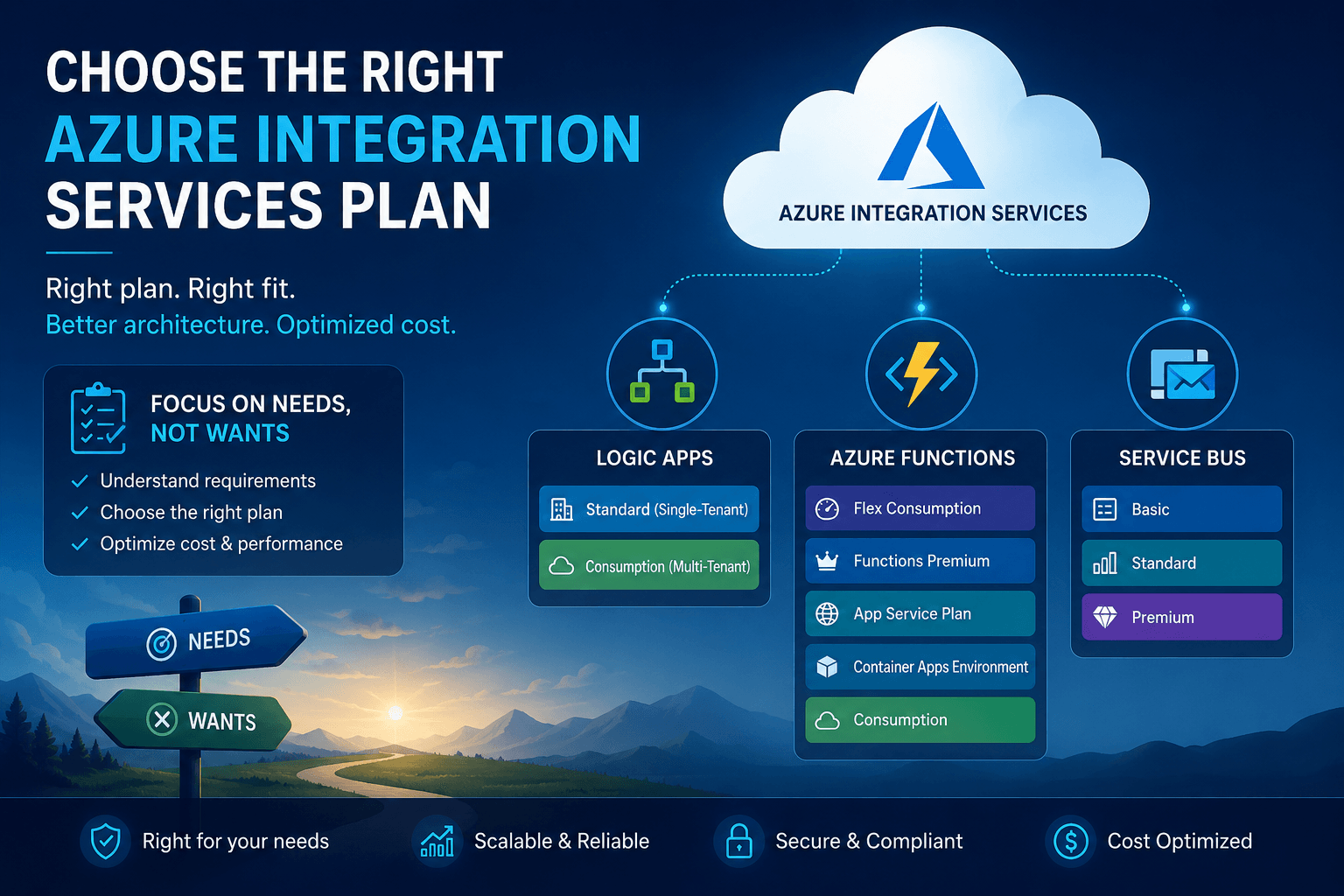
Azure Logic Apps: Consumption vs Standard – Which One Should You Choose?

Azure Logic Apps: Consumption vs Standard – Which One Should You Choose?

Azure Logic Apps is a core service in Azure Integration Services for automating workflows and orchestrating integrations with low-code capabilities. It is available in two main hosting options—Consumption and Standard—each suited to different needs based on scenario, performance, and hosting preferences.

Latest Posts

Choosing the Right SaaS Product: Why Integration Matters More Than Ever

Choosing the Right SaaS Product: Why Integration Matters More Than Ever

SaaS has transformed how startups and enterprises adopt software with its pay-as-you-go model and scalability. However, as systems become distributed, integration becomes critical. Choosing the right SaaS product is not just about features—it’s about how well it fits into your ecosystem and communicates with other systems. Strong API and event-driven capabilities are essential to ensure seamless data flow and long-term scalability.

Azure AI Foundry – Connecting AI Agents with Real Business Workflows

Azure AI Foundry – Connecting AI Agents with Real Business Workflows

Azure AI Foundry brings together Azure OpenAI, AI Services, and Content Understanding into a single platform, offering access to 11,000+ models. It allows you to create AI projects with multiple agents, each tailored for specific use cases. A key capability is agent actions, where agents can trigger workflows such as Azure Logic Apps to interact with backend systems like ERP and CRM. This enables reuse of existing integrations while letting AI act as a decision layer. Although still evolving, it shows strong potential for connecting AI with real business processes.

Conversational vs Autonomous Workflows in Azure Logic Apps

Conversational vs Autonomous Workflows in Azure Logic Apps

Azure Logic Apps is evolving with agentic capabilities, introducing conversational and autonomous workflows. Conversational workflows rely on human input to guide execution, while autonomous workflows operate based on triggers and AI-assisted decisions within defined boundaries. By combining model inputs with external data, these workflows become more context-aware. While promising, current implementations show some inconsistencies, as the feature is still in preview. It represents an important step toward more adaptive, AI-driven integrations.

Chat with Your Workflow in Azure Logic Apps Standard

Chat with Your Workflow in Azure Logic Apps Standard

Azure Logic Apps Standard includes an AI-assisted capability that allows developers to interact with their workflows and ask questions directly within the development environment. Developers can request explanations of workflow steps, discover available connectors for specific integration scenarios, and receive guidance on recommended integration patterns. This feature helps simplify complex workflows, improves understanding of existing integrations, and enables developers to design and troubleshoot integration solutions more efficiently.

Azure Logic Apps: Consumption vs Standard – Which One Should You Choose?

Azure Logic Apps: Consumption vs Standard – Which One Should You Choose?

Azure Logic Apps is a core service in Azure Integration Services for automating workflows and orchestrating integrations with low-code capabilities. It is available in two main hosting options—Consumption and Standard—each suited to different needs based on scenario, performance, and hosting preferences.