Chat with Your Workflow in Azure Logic Apps Standard
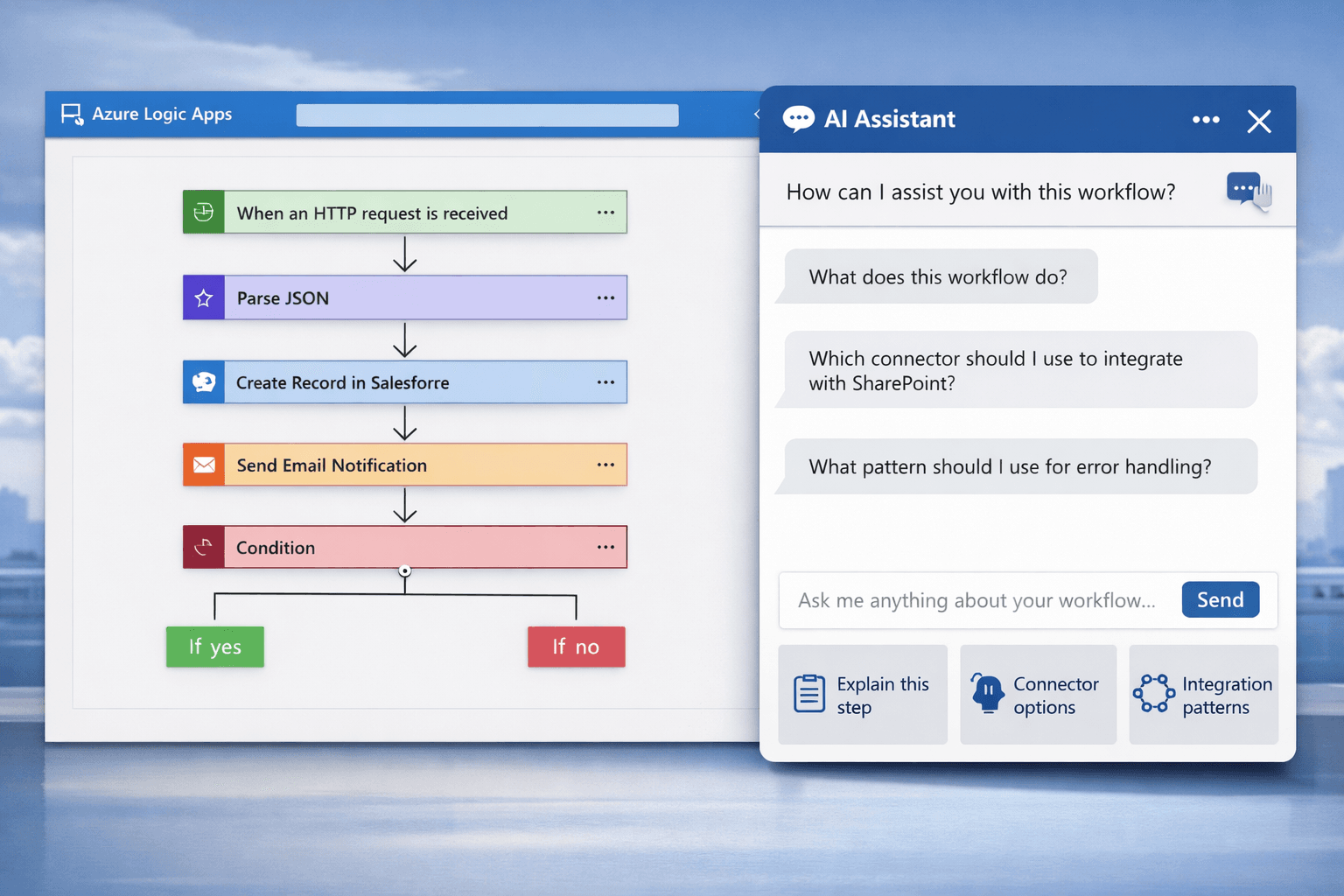
Azure Logic Apps Standard includes an AI-assisted capability that allows developers to interact with their workflows and ask questions directly within the development environment. Developers can request explanations of workflow steps, discover available connectors for specific integration scenarios, and receive guidance on recommended integration patterns. This feature helps simplify complex workflows, improves understanding of existing integrations, and enables developers to design and troubleshoot integration solutions more efficiently.
Understanding the Idea
In complex integration solutions, workflows often include multiple steps such as triggers, conditions, loops, transformations, and calls to external systems.
For someone new to a project, understanding how a workflow behaves may take time. Instead of manually reviewing every action, the AI-assisted experience allows developers to ask questions directly about the workflow.
This makes the development and troubleshooting process faster and more intuitive.
What You Can Ask
The AI-assisted experience can help developers with several tasks.
1. Explain a Workflow
You can ask for an explanation of what the workflow is doing.
Example questions:
- What does this workflow do?
- Explain the purpose of this condition.
- What happens after this step?
This helps when reviewing workflows created by other developers.
2. Discover Connectors for a Scenario
Azure Logic Apps supports hundreds of connectors. Sometimes developers are unsure which connector should be used for a particular scenario.
You can ask questions such as:
- Which connector should I use to connect to Salesforce?
- How can I integrate with SharePoint?
- What connectors are available for sending notifications?
The assistant can provide guidance and suggestions.
3. Get Recommended Integration Patterns
Integration scenarios often follow common patterns such as:
- Message routing
- Event-driven processing
- Data transformation
- Retry and error handling
- Long-running orchestration
You can ask questions like:
- What pattern should I use for asynchronous processing?
- How should I implement error handling in this workflow?
- What is the recommended approach for long-running workflows?
This helps developers design more robust solutions.
Why This Matters
Modern integration environments are becoming increasingly complex. Organizations connect multiple systems including ERP, CRM, APIs, and cloud services.
Having an interactive way to ask questions about workflows and integration design can provide several benefits:
- Faster onboarding for new developers
- Easier troubleshooting
- Better design decisions
- Reduced development time
Conclusion
Azure Logic Apps Standard is not only a workflow orchestration engine but also a modern development environment that helps developers understand and build integrations more efficiently.
The ability to interact with workflows and seek guidance directly inside the development experience makes it easier to design scalable and maintainable integration solutions.
As Azure continues to evolve, these intelligent capabilities will likely become an essential part of how integration platforms are built and used.